
The next message. Already handled.
Customer conversations that connect to orders, bookings, business knowledge and a human when one is needed.
THE GUIDED PRODUCT TOUR
See the screens.
Understand the whole flow.
A spoken walkthrough of the customer experience, feature modules and the dashboard behind it. Choose a chapter to explore a specific feature.
0:00 / 1:44Customer inboxVoice + captions
Follow the complete explanation
Deskline shows how a WhatsApp business bot can work with customer records, approved knowledge and a shared team inbox. The demonstration uses fictional customers and orders.
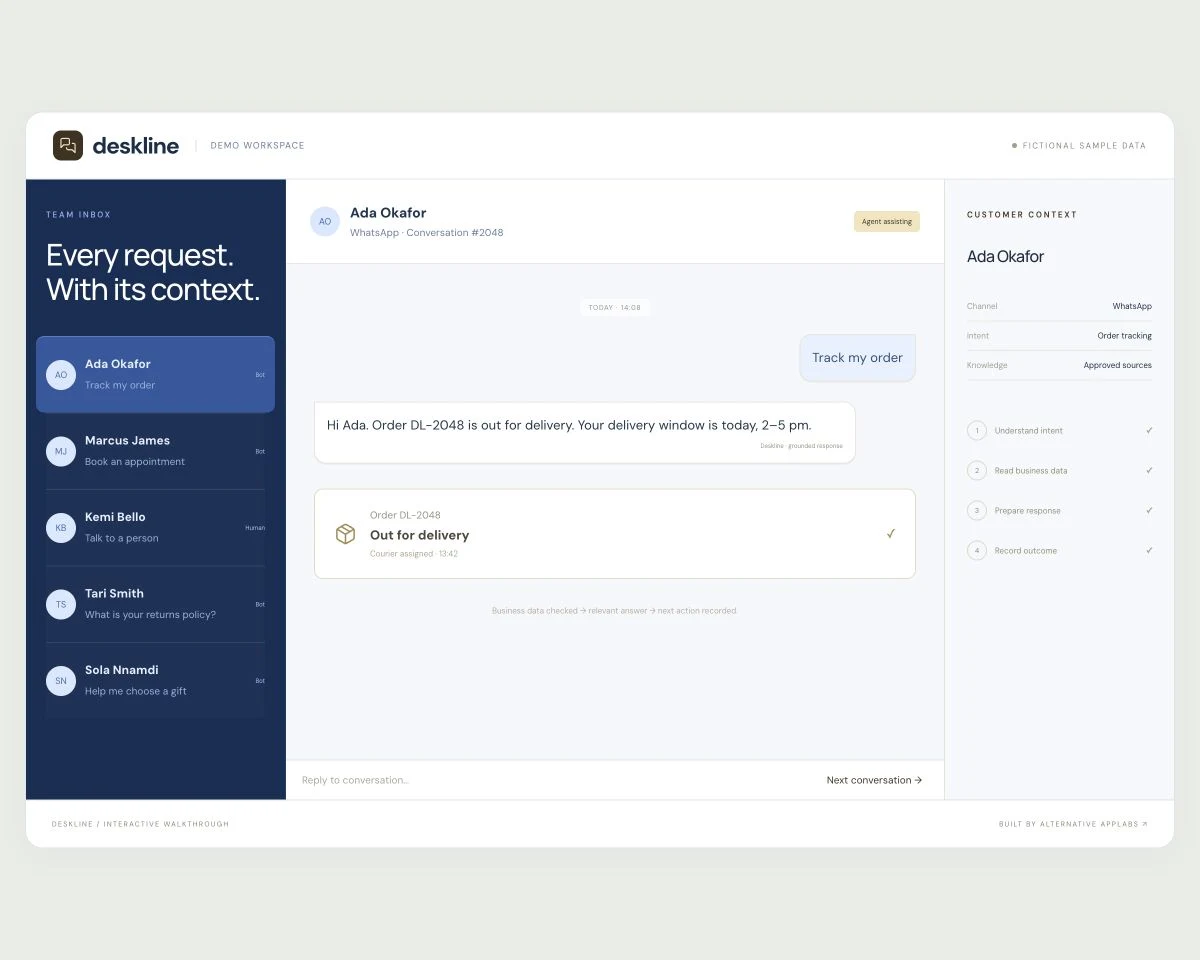
An order question triggers a lookup rather than a generic answer. The reply includes the order reference, delivery state and expected window, while the customer context stays alongside the conversation.
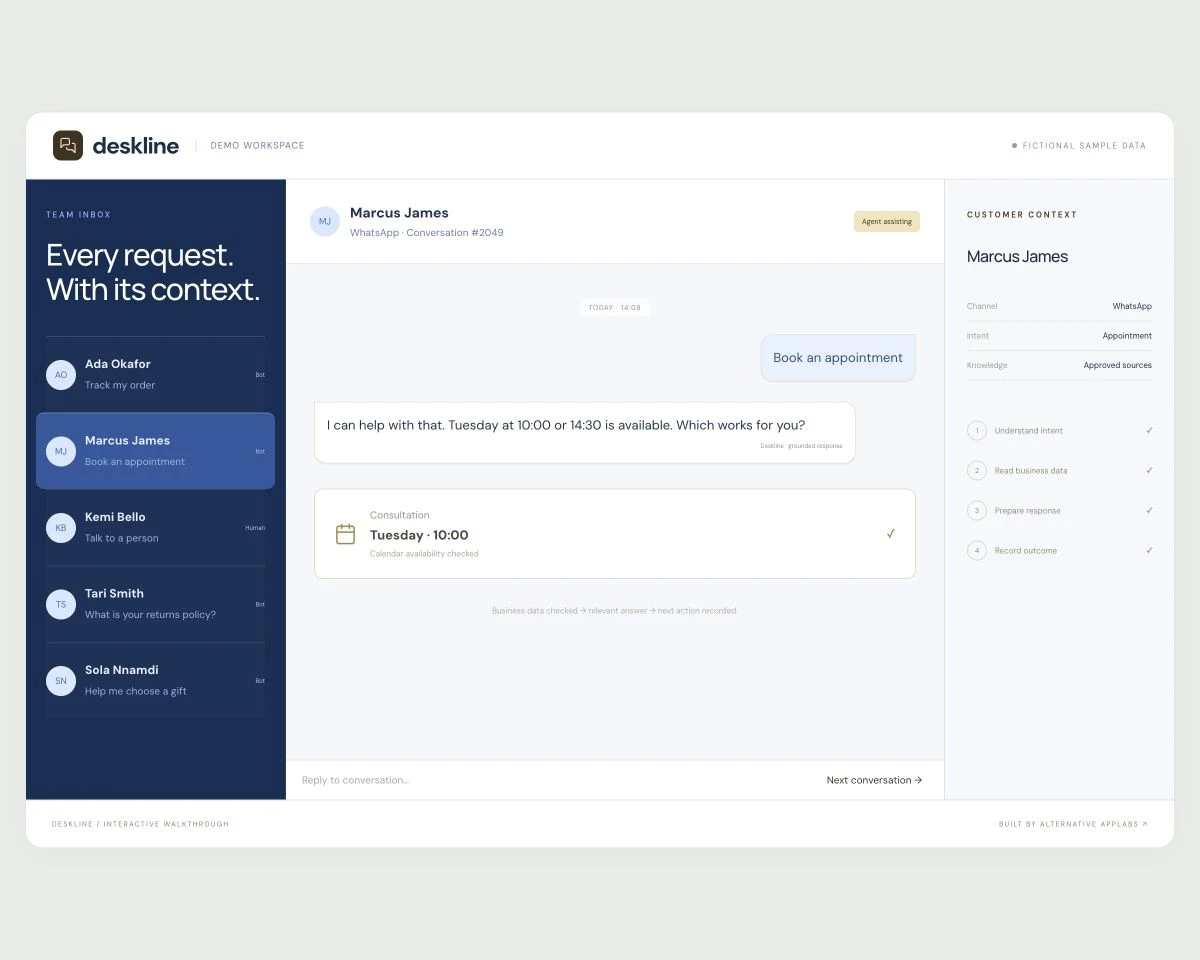
For a booking request, the bot checks connected calendar availability and offers specific appointment options. Your business rules determine the services, working hours and details collected before confirmation.
A policy question uses approved business knowledge. The operator can see which policy supports the answer, making it easier to review information before publishing a new knowledge version.
Product discovery connects the conversation to a sample catalogue. The bot presents relevant options and stock context, then prepares the next step without inventing a product or price.
When the customer asks for a person, the conversation transfers with its intent and summary. A named teammate receives the context, so the customer does not have to start again.
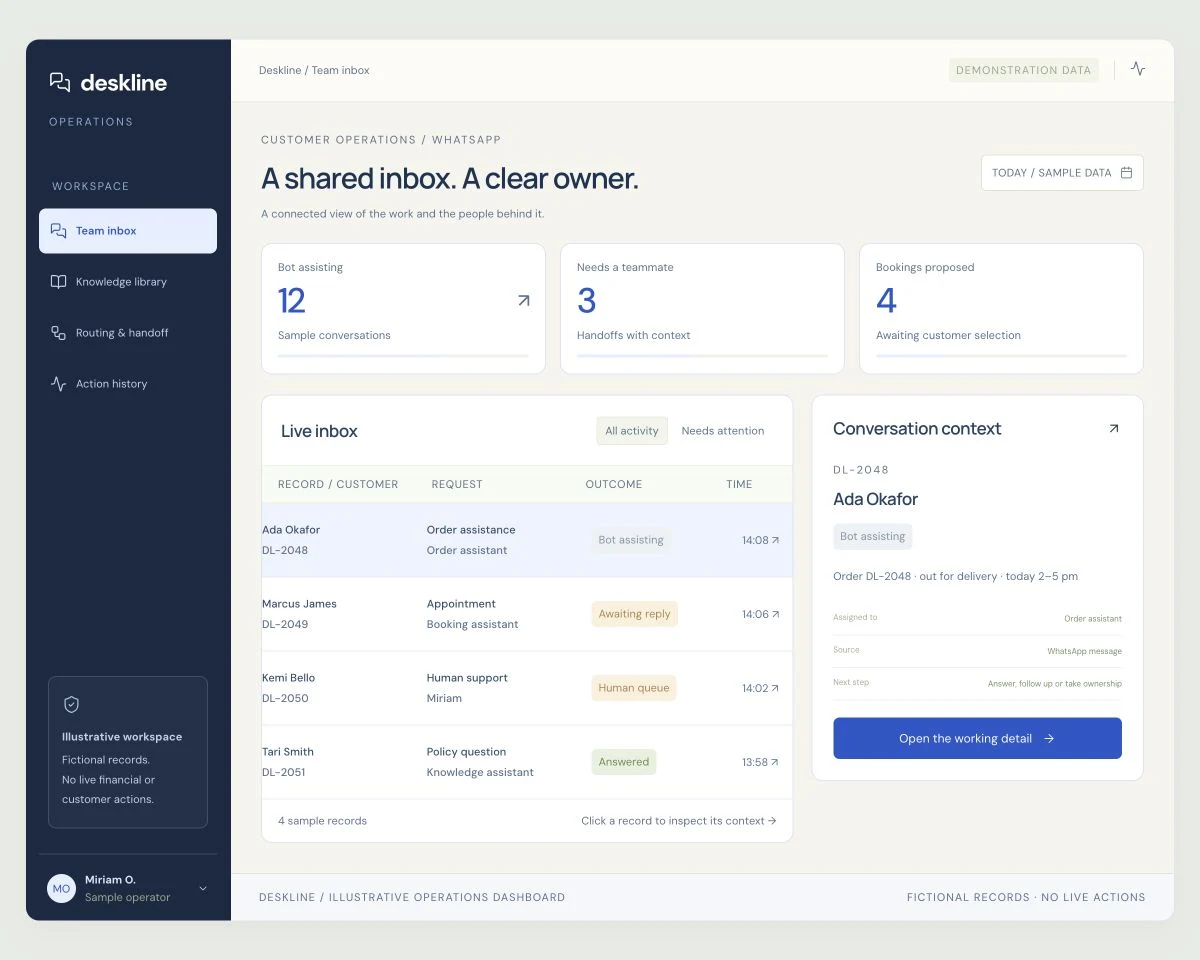
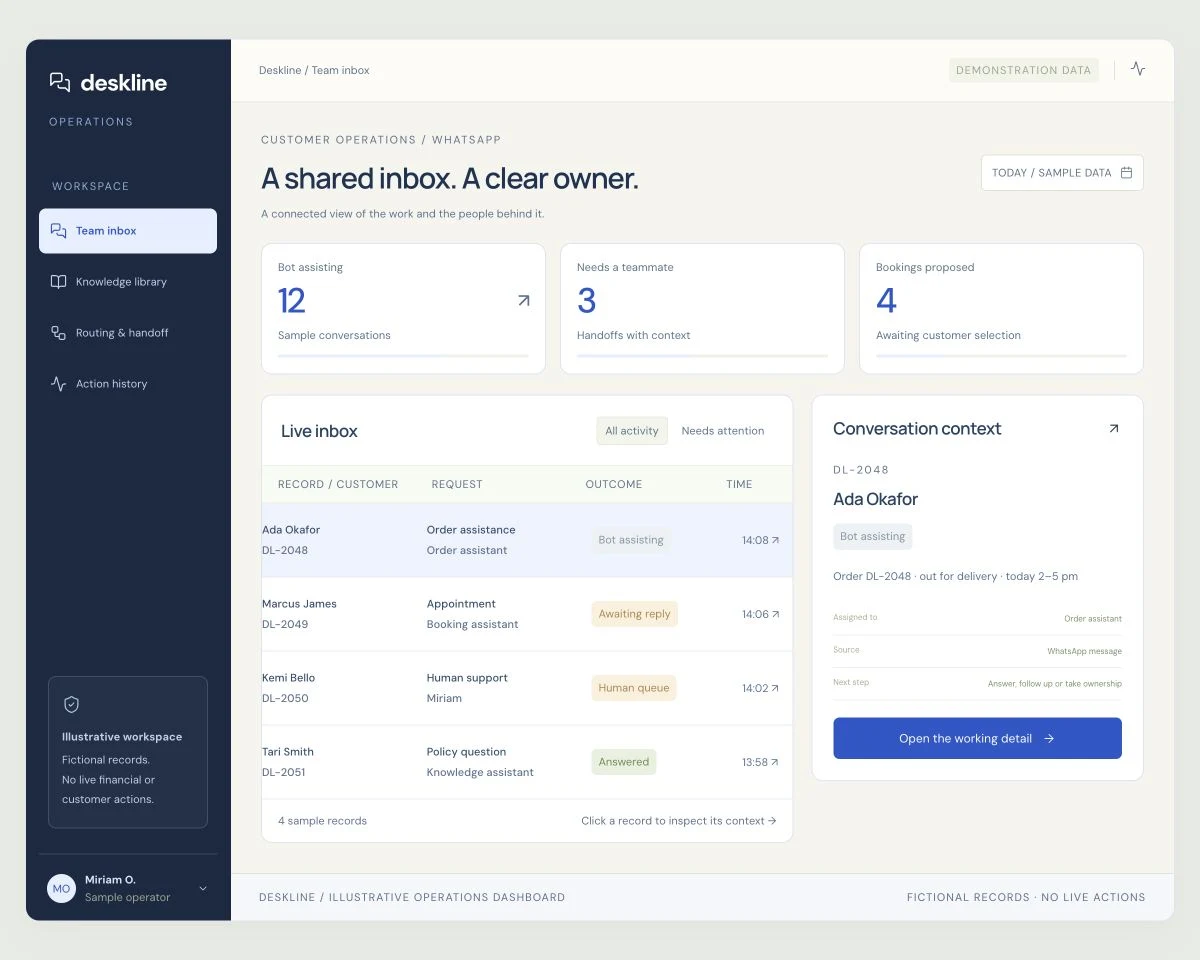
The operator dashboard separates conversations handled by the bot from those awaiting a teammate. Select a conversation to inspect its owner, latest request and next action.
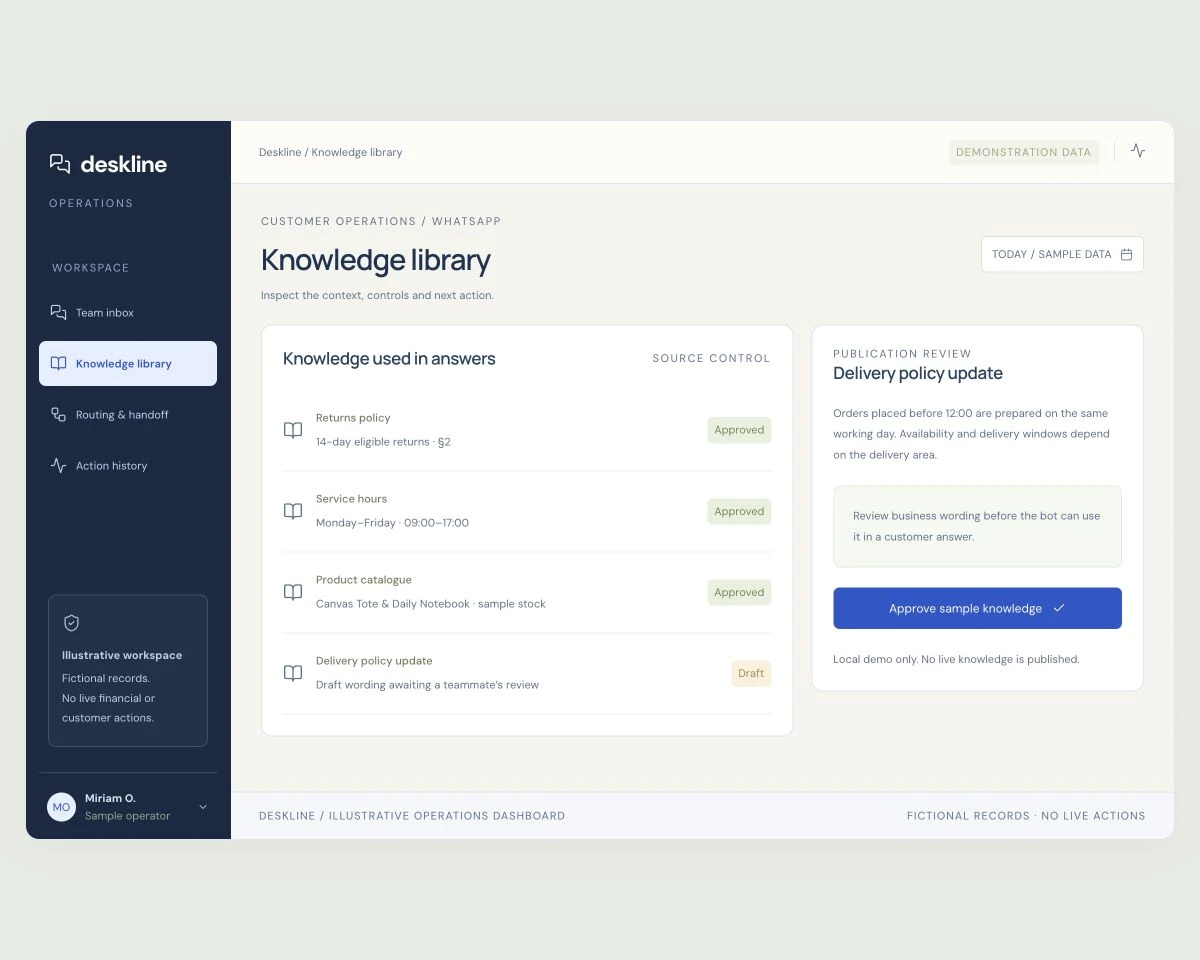
The knowledge workspace shows approved policies, catalogue information and draft updates. Review the source and publication state before allowing a bot to use new information.
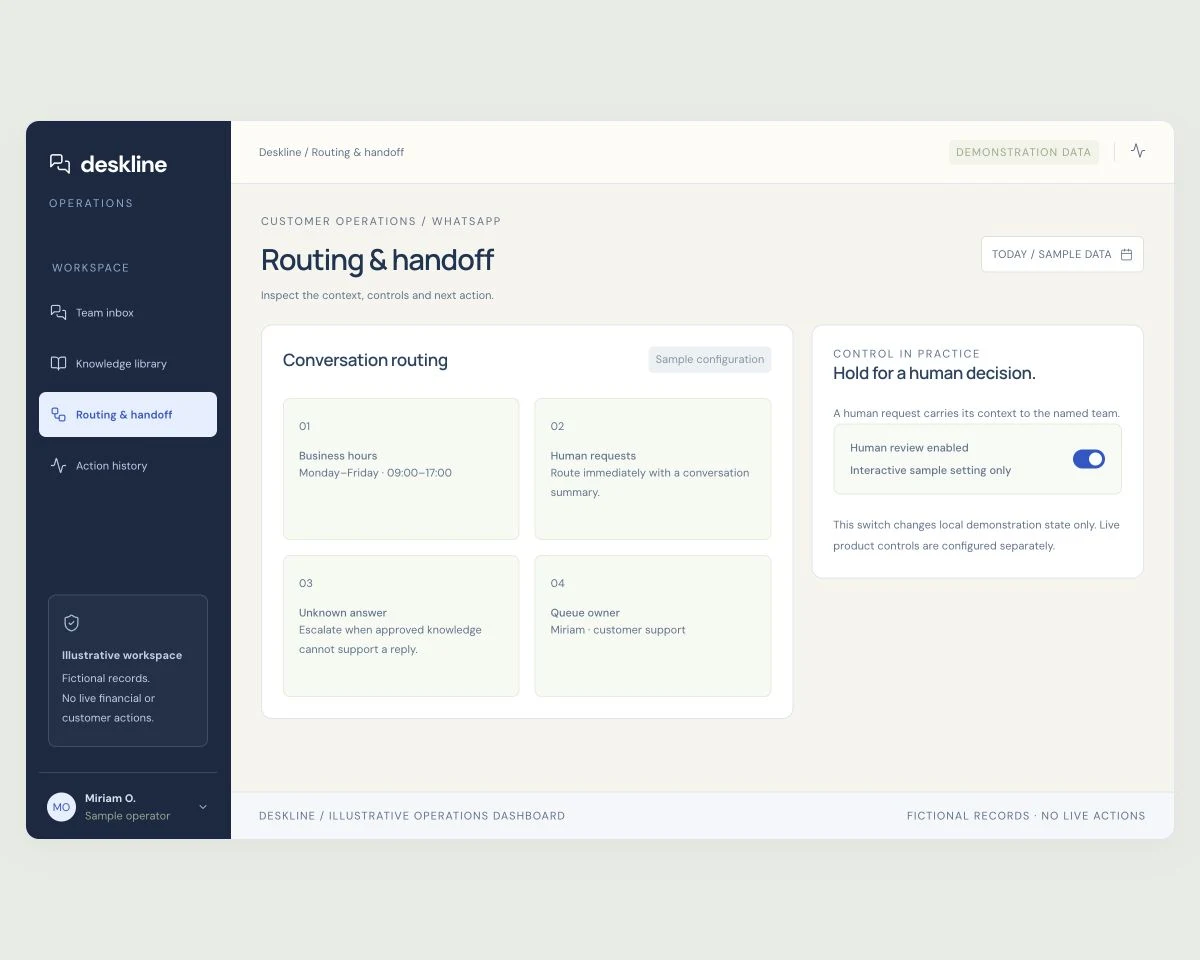
Routing controls define the handoff queue, business hours and escalation triggers. The sample workflow connects an incoming message, a business lookup and a human decision when needed.
The activity view records what the bot looked up, what it answered and where it handed over. Together, the conversation and dashboard make customer automation understandable to the team running it.
Recorded from the interactive demonstrations below, with fictional records. Dashboard views illustrate operational workflows; they are not a live customer or financial workspace.
GET A FEEL FOR IT
Don’t just read about it.
Work through it.
Click through the sample workspace to see the decisions, context and next steps.
desklineDEMO WORKSPACE
FICTIONAL SAMPLE DATAAda OkaforWhatsApp · Conversation #2048
Agent assistingTODAY · 14:08
Track my order
Hi Ada. Order DL-2048 is out for delivery. Your delivery window is today, 2–5 pm.Deskline · grounded response
Order DL-2048Out for deliveryCourier assigned · 13:42
✓Business data checked → relevant answer → next action recorded.
Reply to conversation…
Ada Okafor
- Channel
- Intent
- Order tracking
- Knowledge
- Approved sources
1Understand intent✓2Read business data✓3Prepare response✓4Record outcome✓
DESKLINE / INTERACTIVE WALKTHROUGHBUILT BY ALTERNATIVE APPLABS ↗
Deskline is a fictional demo identity for our WhatsApp automation capability. Orders, messages and customer records shown here are sample data.
THE TEAM BEHIND THE EXPERIENCE
See the dashboard.
Follow the work.
Inspect records, switch workspace views and see how the team manages the next action.
CUSTOMER OPERATIONS / WHATSAPP
TODAY / SAMPLE DATA A shared inbox. A clear owner.
A connected view of the work and the people behind it.
Live inbox
RECORD / CUSTOMERREQUESTOUTCOMETIME
4 sample recordsClick a record to inspect its context →
Conversation context
Ada Okafor
Bot assistingOrder DL-2048 · out for delivery · today 2–5 pm
- Assigned to
- Order assistant
- Source
- WhatsApp message
- Next step
- Answer, follow up or take ownership
Message → business lookup → answer or handoffOne visible operating trail.
Illustrative operations dashboard with fictional records. Interactions change the local demo only. Product-specific configuration and live availability are agreed separately.
THE WORK BEHIND THE SCREEN
Built around the whole workflow.
Every module has a job. Together, they make the experience useful for the person using it and the team running it.
Order assistance
Look up an order, explain its status and share the next step without losing the customer’s context.
Bookings & reminders
Collect a service preference, offer availability and create a booking through a connected calendar.
Product discovery
Turn a conversation into a useful product recommendation based on your own catalogue.
Knowledge answers
Ground answers in approved policies, business hours and service information.
Human handoff
Route a conversation with a readable summary, the customer’s intent and the work already completed.
Team inbox
Review conversations, ownership, outstanding requests and escalation reasons.
HOW THE PIECES CONNECT
01Incoming message
02Understand the request
03Look up business data
04Answer or take action
05Hand off with context
Let’s make it happen
Your next big idea.
Our next great build.
Tell us what you have in mind. We’ll help you find the right way forward.
Let’s talk about your project