
Your banks. One conversation.
A WhatsApp banking experience that brings linked accounts, transfers, everyday payments and support into a familiar conversation.
THE GUIDED PRODUCT TOUR
See the screens.
Understand the whole flow.
A spoken walkthrough of the customer experience, feature modules and the dashboard behind it. Choose a chapter to explore a specific feature.
0:00 / 2:01ConversationVoice + captions
Follow the complete explanation
Chatpay brings everyday banking journeys into a WhatsApp conversation. This walkthrough uses fictional accounts and payments to show the customer experience and an illustrative operations dashboard.
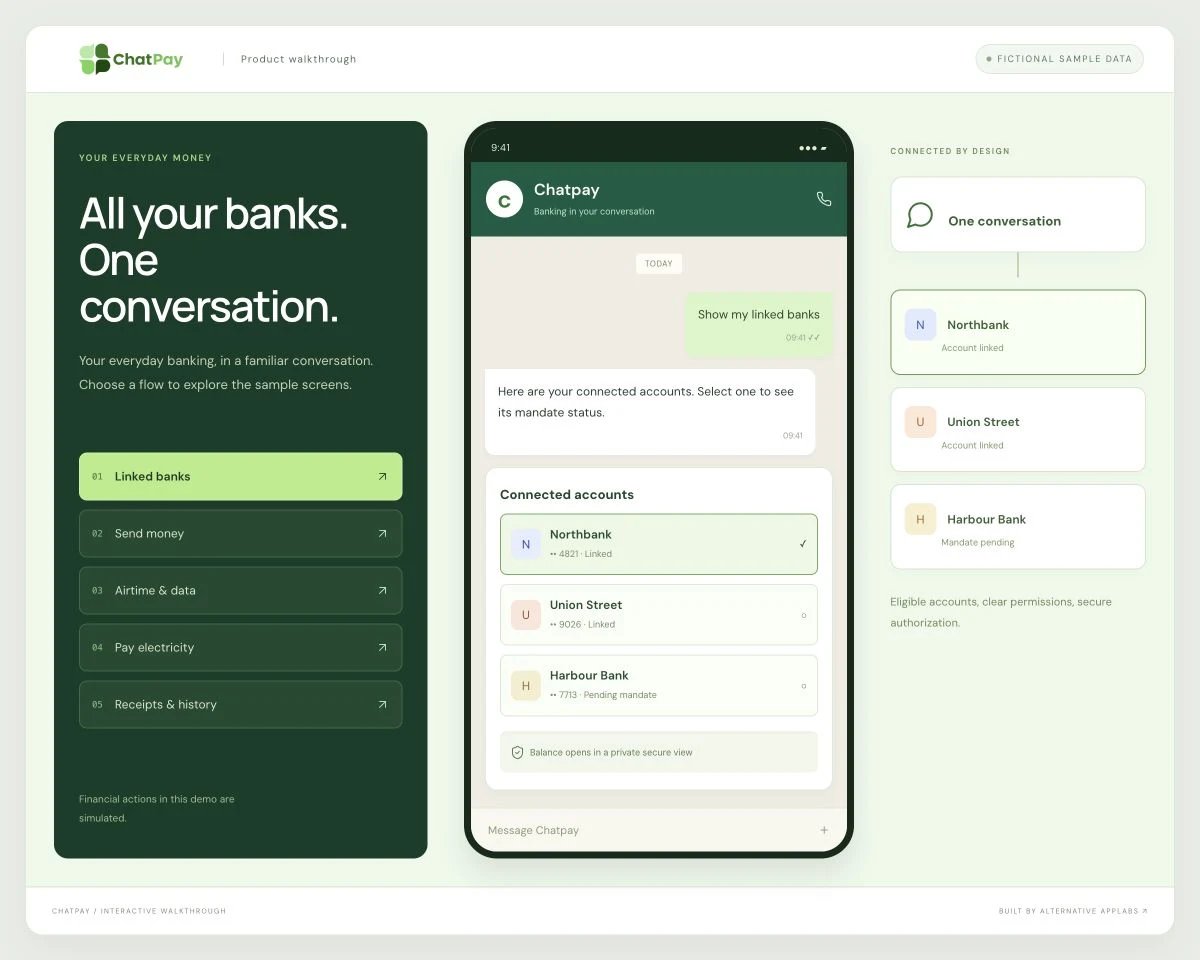
Start with linked banks. Each account has its own connection and mandate status. Selecting another bank changes the funding context, while a pending mandate stays clearly marked.
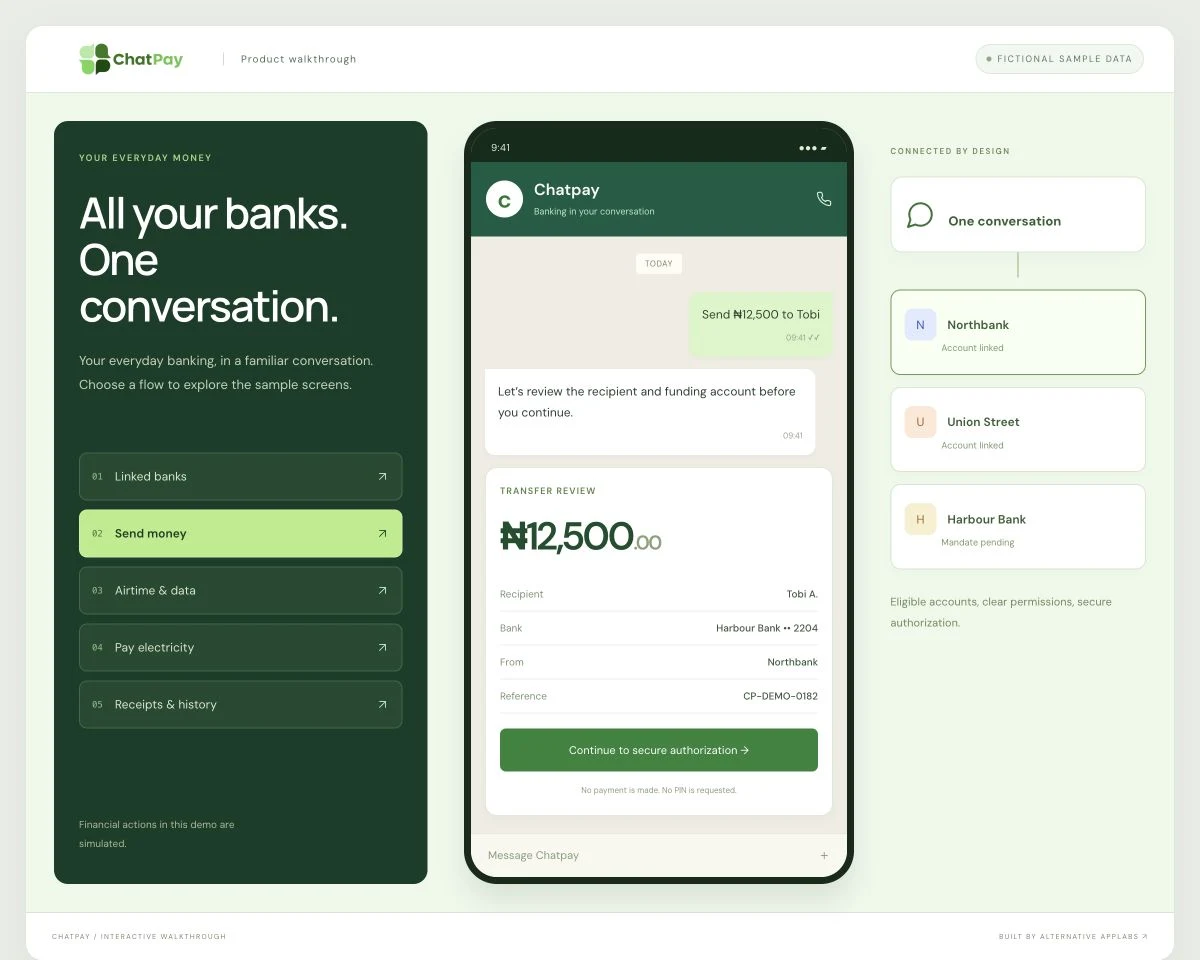
For a transfer, check the recipient, destination bank, amount and funding account together. The review makes the intended payment clear before secure authorization.
Continue to the authorization step to see the next state. This demonstration collects no PIN and makes no payment. Actual transfer availability depends on Chatpay’s controlled pilot and provider sign-off.
For mobile data, compare sample bundles and select a plan. The chosen bundle and phone number stay visible so the customer can review what they are buying.
Electricity follows a different flow. Verified meter details, customer name and payment amount appear together before review. Transaction references then help the customer find the outcome.
History brings transfers, electricity and data purchases into one list, with a status for each item. A receipt supports follow-up without asking the customer to repeat the entire conversation.
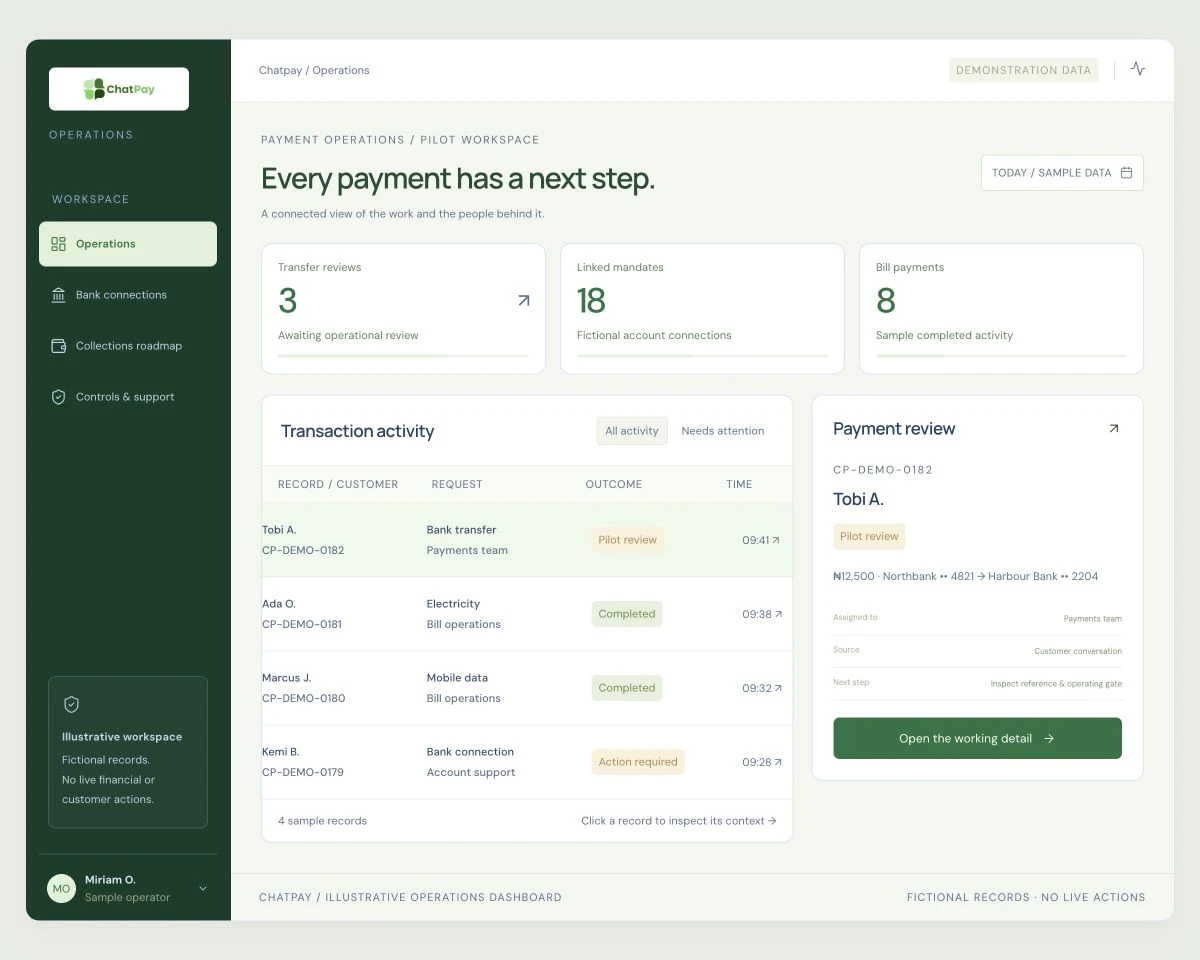
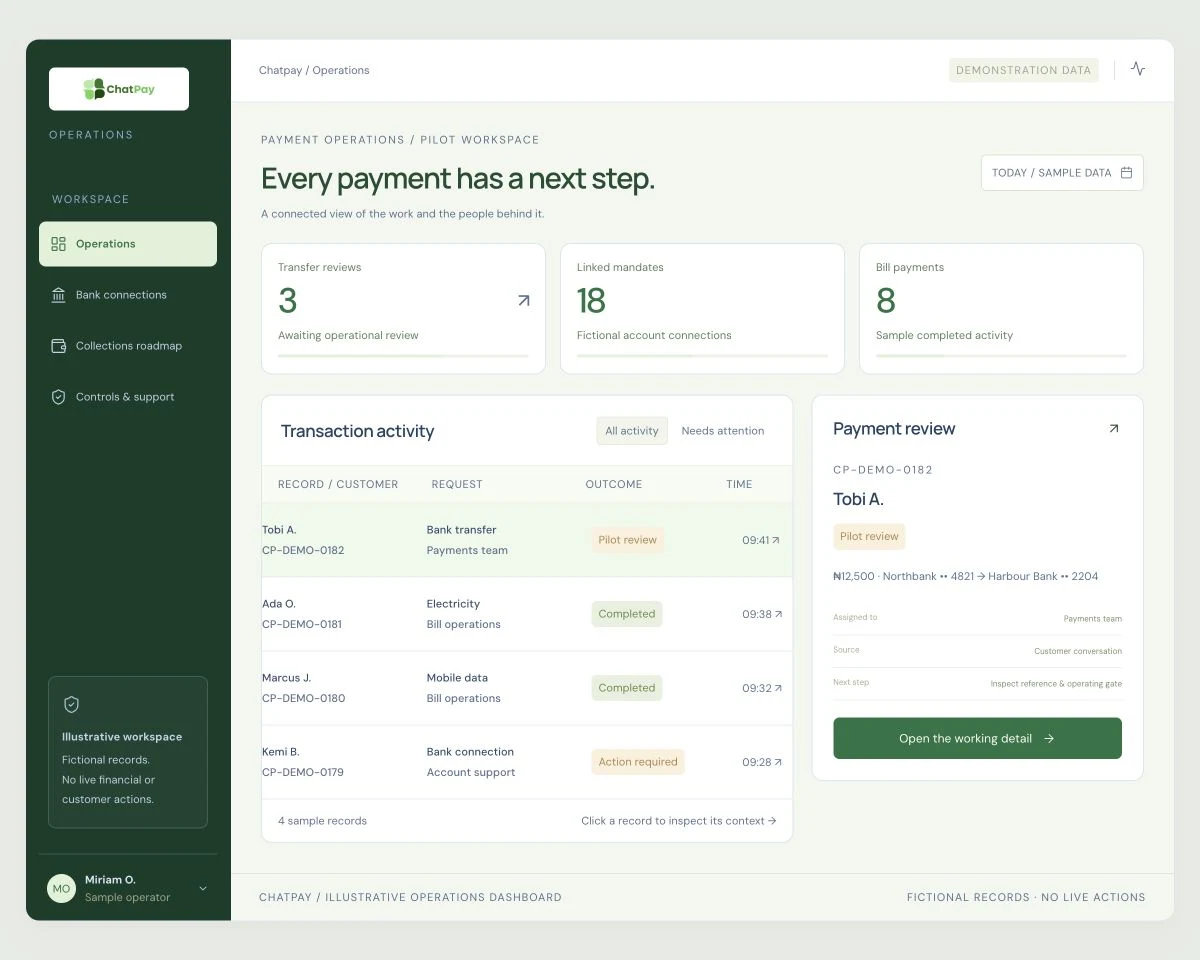
Behind the conversation, this sample operations dashboard separates completed activity, pending reviews and connection issues. Select a transaction to inspect its reference, funding source and next action.
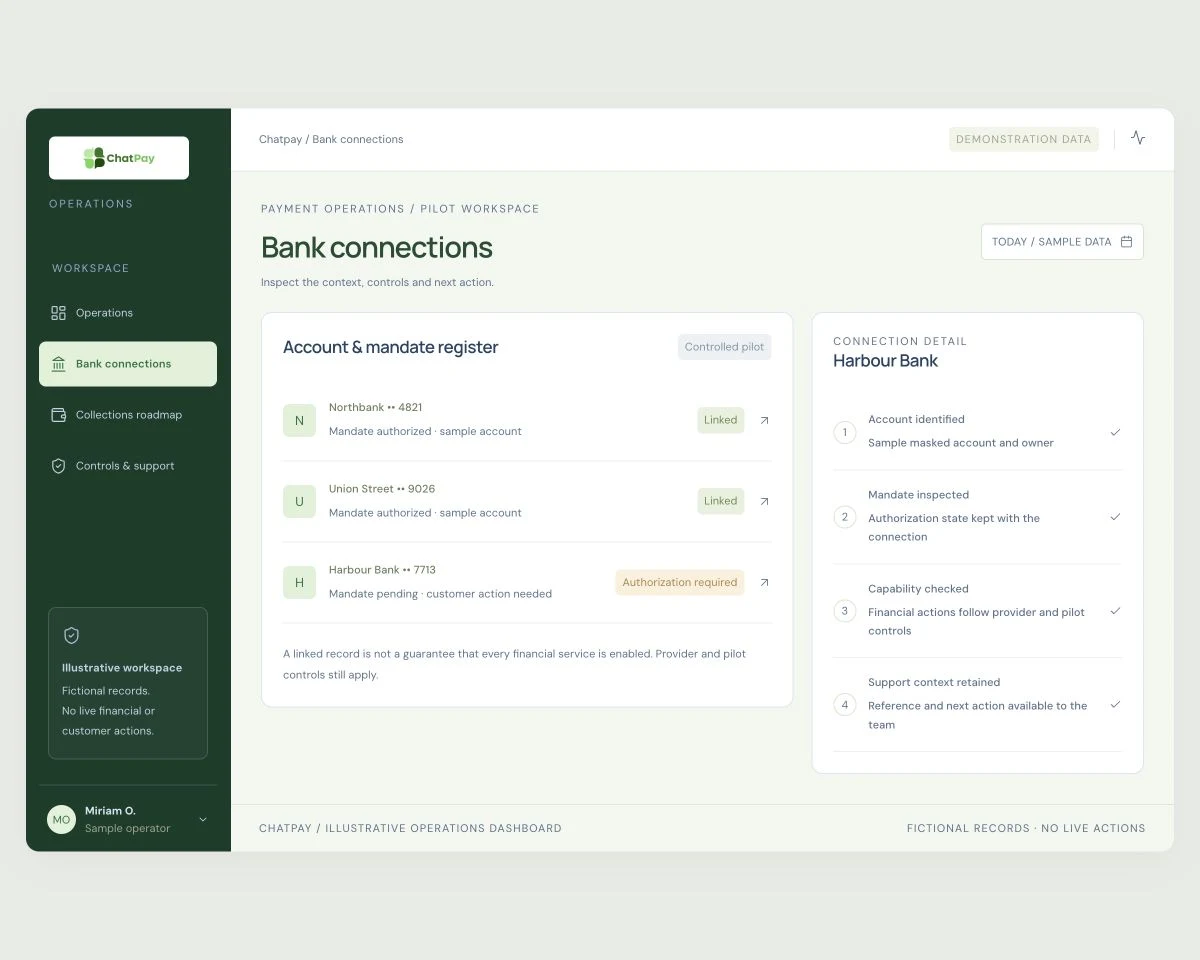
The connections view groups linked accounts and pending mandates. Operators can inspect the reason for an incomplete connection instead of treating every account as ready to use.
The collections view illustrates payment links, references and reconciliation states for the business roadmap. It is a design-partner preview, rather than a claim that every collection feature is live.
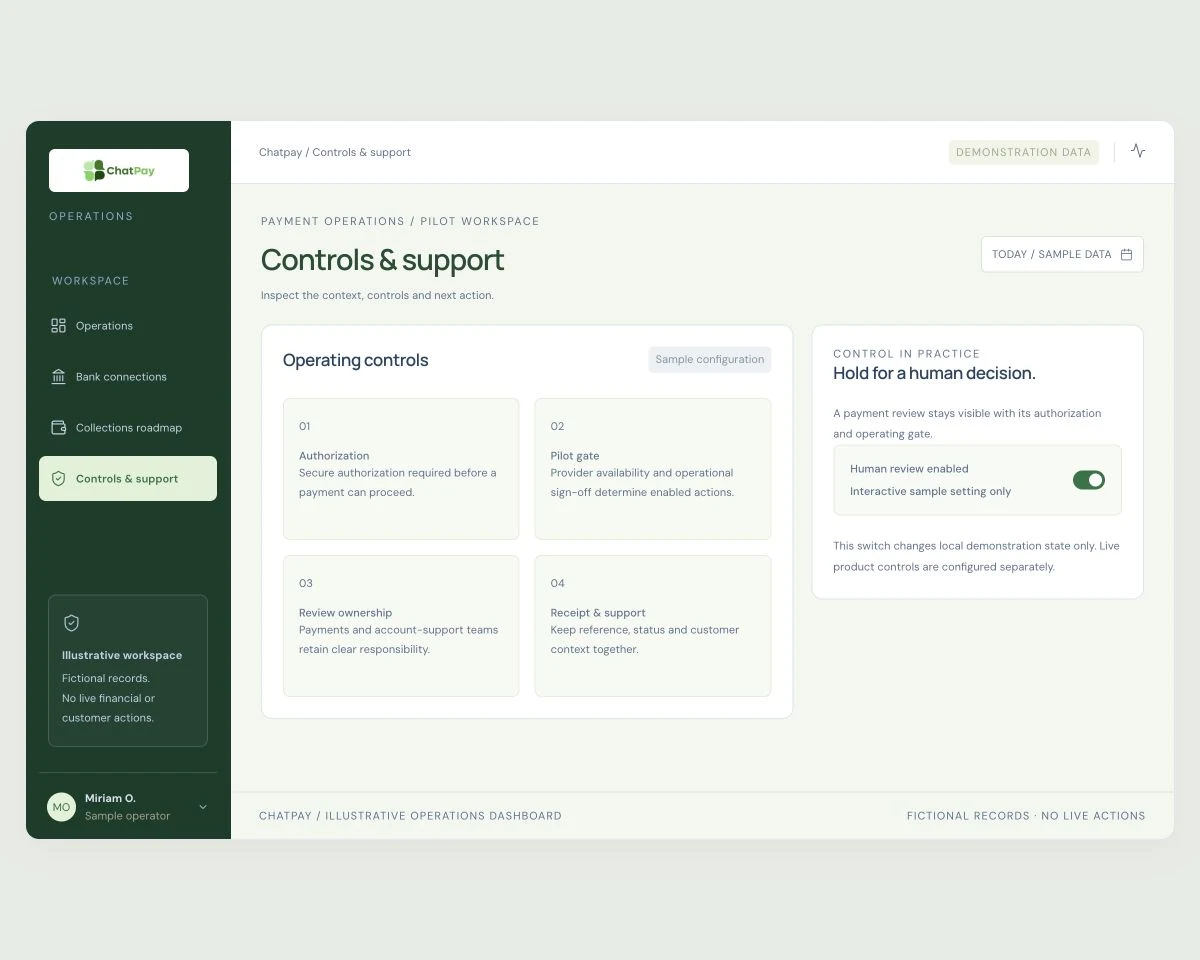
Operational controls keep authorization, review and support responsibilities visible. Chatpay is in a controlled pilot; the walkthrough shows how the pieces connect, while real financial actions remain subject to the product’s operating gates.
Recorded from the interactive demonstrations below, with fictional records. Dashboard views illustrate operational workflows; they are not a live customer or financial workspace.
GET A FEEL FOR IT
Don’t just read about it.
Work through it.
Switch accounts, review a transfer or explore an everyday payment.
 Product walkthrough
9:41●●● ▰
ChatpayBanking in your conversation
TODAY
Show my linked banks09:41 ✓✓
Here are your connected accounts. Select one to see its mandate status.09:41
Connected accounts
Balance opens in a private secure view
Message Chatpay+
CONNECTED BY DESIGN
One conversation
Eligible accounts, clear permissions, secure authorization.
CHATPAY / INTERACTIVE WALKTHROUGHBUILT BY ALTERNATIVE APPLABS ↗
This is an interactive product walkthrough with fictional data. Chatpay is in a controlled pilot; bank mandates, provider availability and operational sign-off determine which financial actions are enabled.
THE TEAM BEHIND THE EXPERIENCE
See the dashboard.
Follow the work.
Inspect records, switch workspace views and see how the team manages the next action.
PAYMENT OPERATIONS / PILOT WORKSPACE
TODAY / SAMPLE DATA Every payment has a next step.
A connected view of the work and the people behind it.
Transaction activity
RECORD / CUSTOMERREQUESTOUTCOMETIME
4 sample recordsClick a record to inspect its context →
Payment review
Tobi A.
Pilot review₦12,500 · Northbank •• 4821 → Harbour Bank •• 2204
- Assigned to
- Payments team
- Source
- Customer conversation
- Next step
- Inspect reference & operating gate
Conversation → payment review → operating gateOne visible operating trail.
Illustrative operations dashboard with fictional records. Interactions change the local demo only. Product-specific configuration and live availability are agreed separately.
THE WORK BEHIND THE SCREEN
Built around the whole workflow.
Every module has a job. Together, they make the experience useful for the person using it and the team running it.
Multi-bank connections
Link eligible bank accounts through mandates, choose a funding account, and inspect each connection’s status.
Secure transfers
Move from recipient lookup to a clear review, secure authorization and a transaction receipt. Live transfer availability depends on pilot controls.
Airtime & data
Choose a network, plan and phone number, then review the payment before continuing.
Electricity payments
Verify meter details, select the amount and keep the resulting transaction or token with the receipt.
History & receipts
Find transaction status and references from a single conversation, with clear routes to support.
Business collections
Collection links, checkout and business automation are part of the design-partner roadmap.
HOW THE PIECES CONNECT
01Start a conversation
02Choose a service
03Select linked account
04Review & authorize
05Track the receipt
Let’s make it happen
Your next big idea.
Our next great build.
Tell us what you have in mind. We’ll help you find the right way forward.
Let’s talk about your project