
A good first conversation. Every call.
Voice agents for reception, lead qualification, appointment coordination and contextual handoff to your team.
THE GUIDED PRODUCT TOUR
See the screens.
Understand the whole flow.
A spoken walkthrough of the customer experience, feature modules and the dashboard behind it. Choose a chapter to explore a specific feature.
0:00 / 1:38ReceptionVoice + captions
Follow the complete explanation
Callfield demonstrates a voice agent and the contact-centre workspace around it. This is a simulated property enquiry, with fictional call records and no live call being placed.
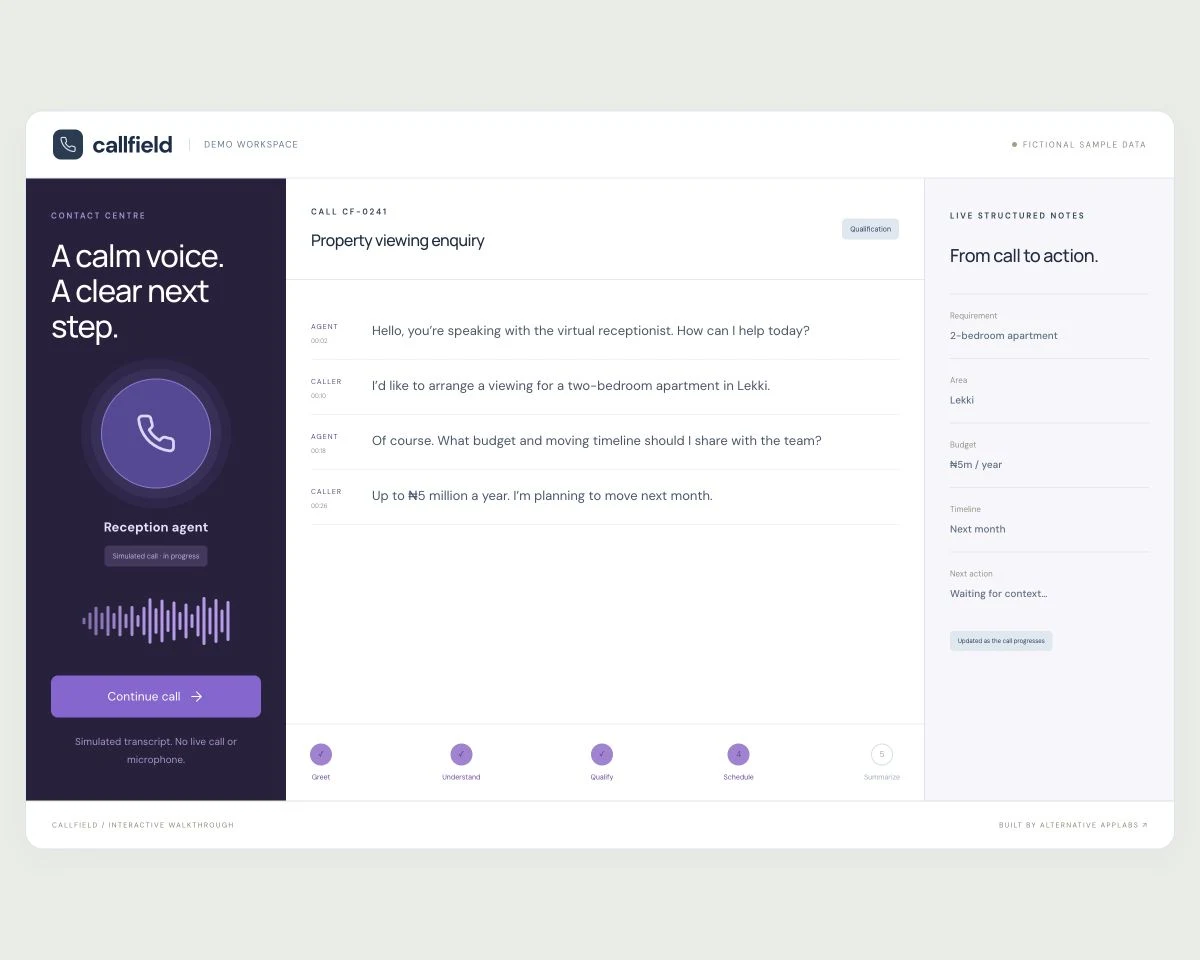
The receptionist introduces itself as virtual, then asks how it can help. As the caller describes a property need, the transcript and structured notes begin to capture useful context.
Qualification turns the conversation into specific fields: property type, area, budget and moving timeline. Each detail appears after the corresponding caller response, so the operator can follow where it came from.
The agent proposes an available viewing time. A calendar integration and your confirmation rules determine how a real booking proceeds; this walkthrough keeps the proposed next action visible for the team.
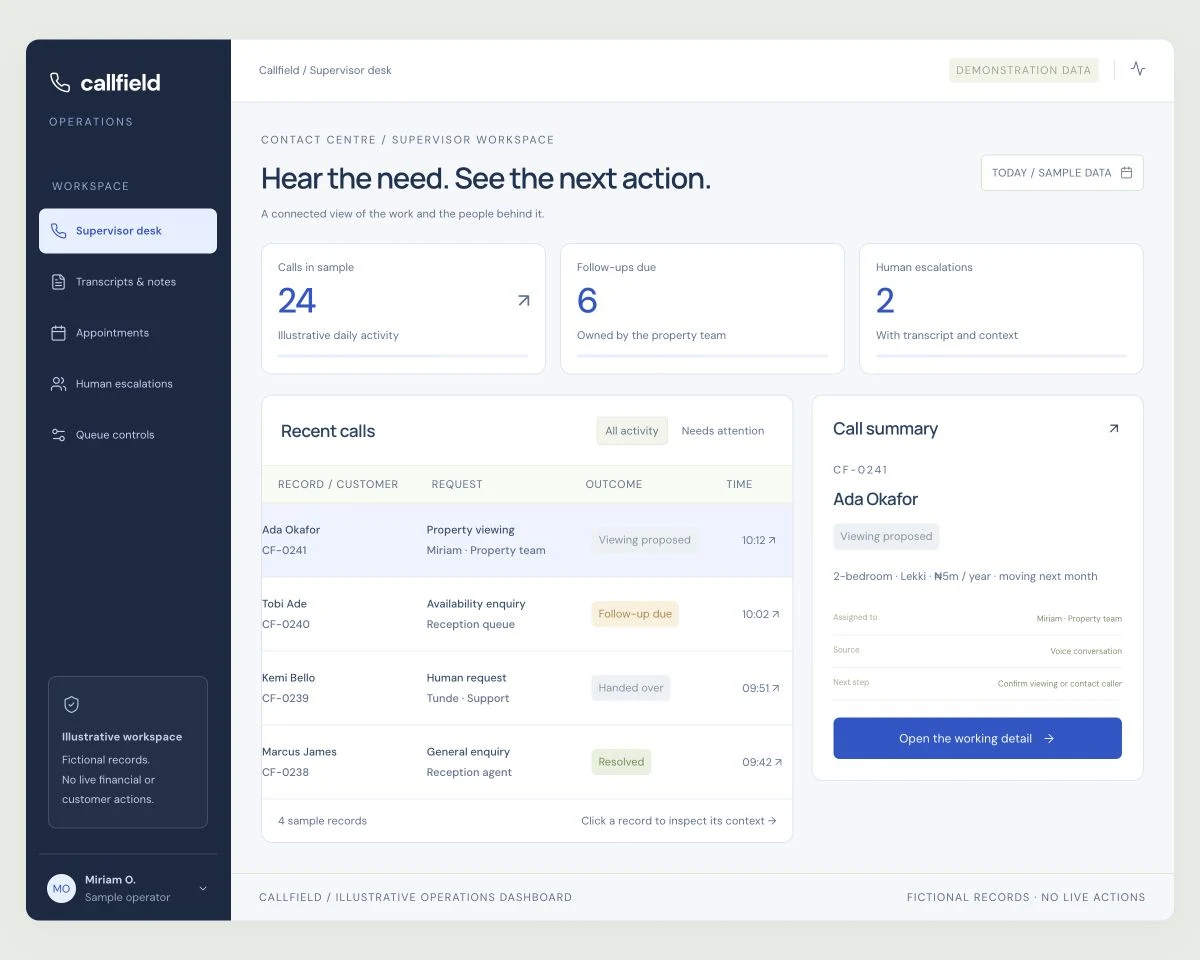
The dashboard gives supervisors a view of recent calls, their outcomes and follow-up needs. Select a call to open its caller intent, summary and assigned next step.
The transcript view brings the conversation and extracted fields together. Your team can review what was said, understand an escalation and check the information before acting on it.
Appointments and follow-up tasks carry the context from the call into the working day. The sample record shows a proposed viewing awaiting team confirmation, with an owner and scheduled time.
Escalation sends uncertain, sensitive or requested conversations to a person. The handoff includes the caller’s need and the reason for transfer, alongside the information already collected.
Queue controls define working hours, agent disclosure and the circumstances that require a human. The goal is a useful first conversation with a clear operational handoff, rather than an agent acting without boundaries.
Recorded from the interactive demonstrations below, with fictional records. Dashboard views illustrate operational workflows; they are not a live customer or financial workspace.
GET A FEEL FOR IT
Don’t just read about it.
Work through it.
Click through the sample workspace to see the decisions, context and next steps.
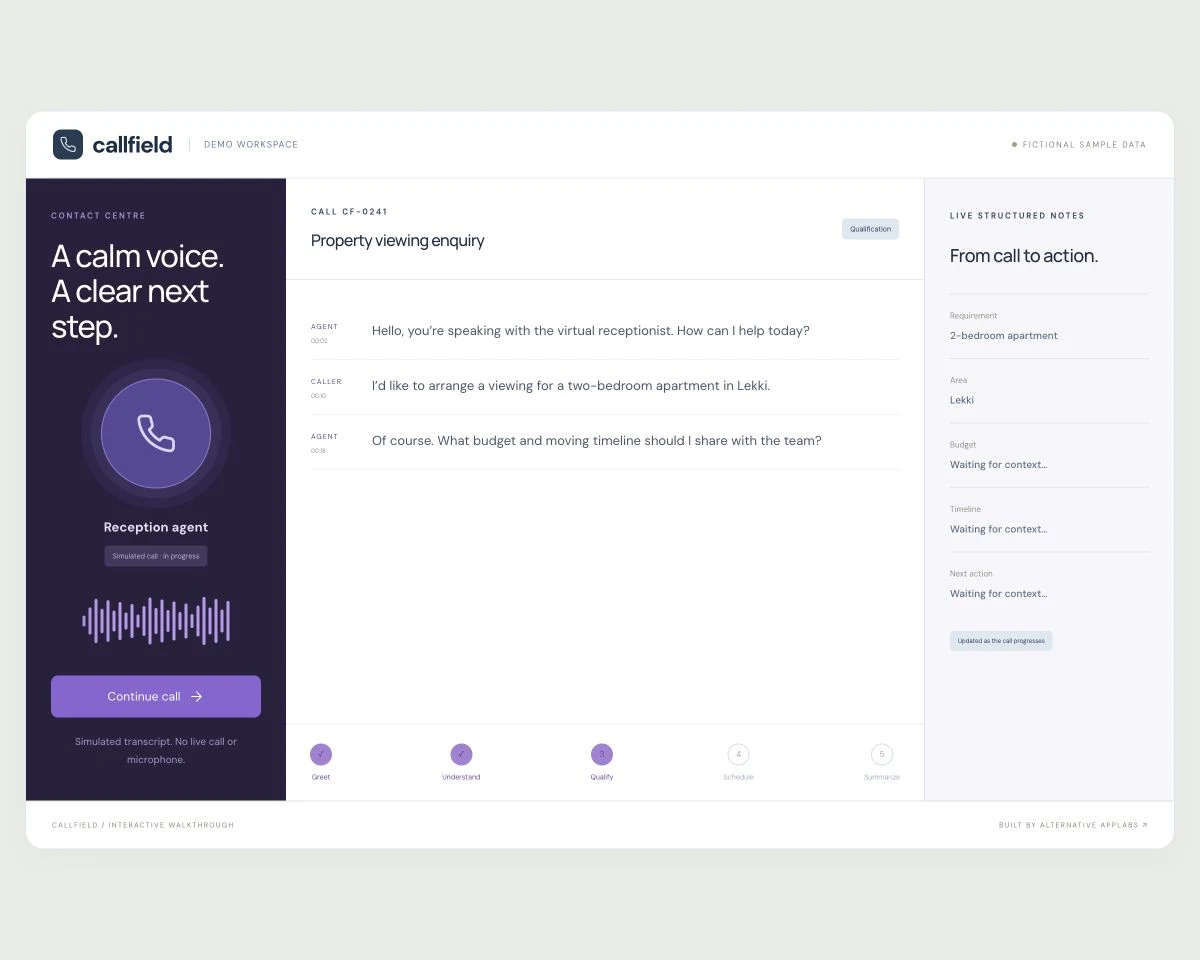
callfieldDEMO WORKSPACE
FICTIONAL SAMPLE DATACALL CF-0241
QualificationProperty viewing enquiry
AGENT00:02
Hello, you’re speaking with the virtual receptionist. How can I help today?
From call to action.
RequirementWaiting for context…
AreaWaiting for context…
BudgetWaiting for context…
TimelineWaiting for context…
Next actionWaiting for context…
Updated as the call progressesCALLFIELD / INTERACTIVE WALKTHROUGHBUILT BY ALTERNATIVE APPLABS ↗
This is a simulated call workspace. It does not access your microphone or place calls. Production voice integrations are scoped with caller disclosure, escalation and consent requirements.
THE TEAM BEHIND THE EXPERIENCE
See the dashboard.
Follow the work.
Inspect records, switch workspace views and see how the team manages the next action.
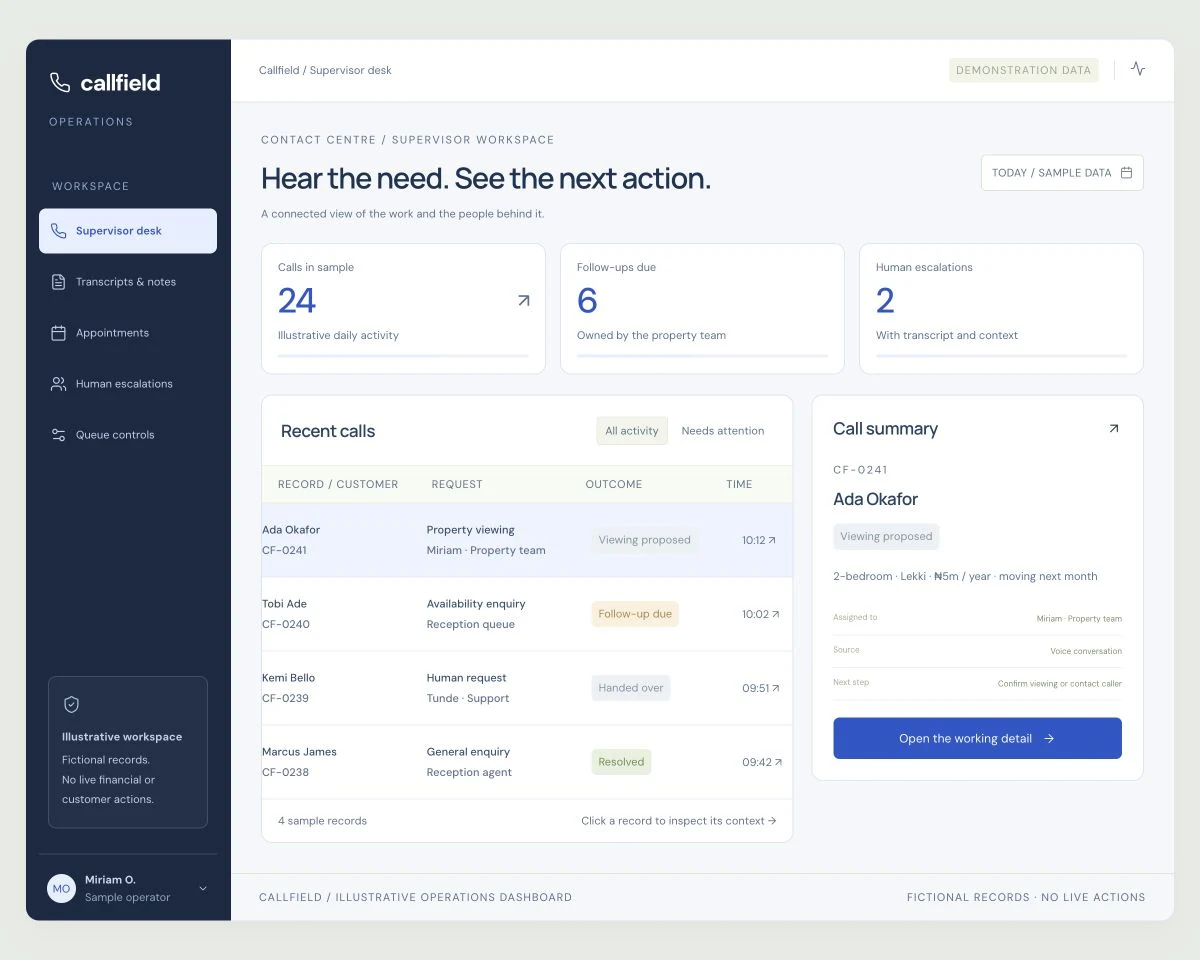
CONTACT CENTRE / SUPERVISOR WORKSPACE
TODAY / SAMPLE DATA Hear the need. See the next action.
A connected view of the work and the people behind it.
Recent calls
RECORD / CUSTOMERREQUESTOUTCOMETIME
4 sample recordsClick a record to inspect its context →
Call summary
Ada Okafor
Viewing proposed2-bedroom · Lekki · ₦5m / year · moving next month
- Assigned to
- Miriam · Property team
- Source
- Voice conversation
- Next step
- Confirm viewing or contact caller
Call → structured context → team follow-upOne visible operating trail.
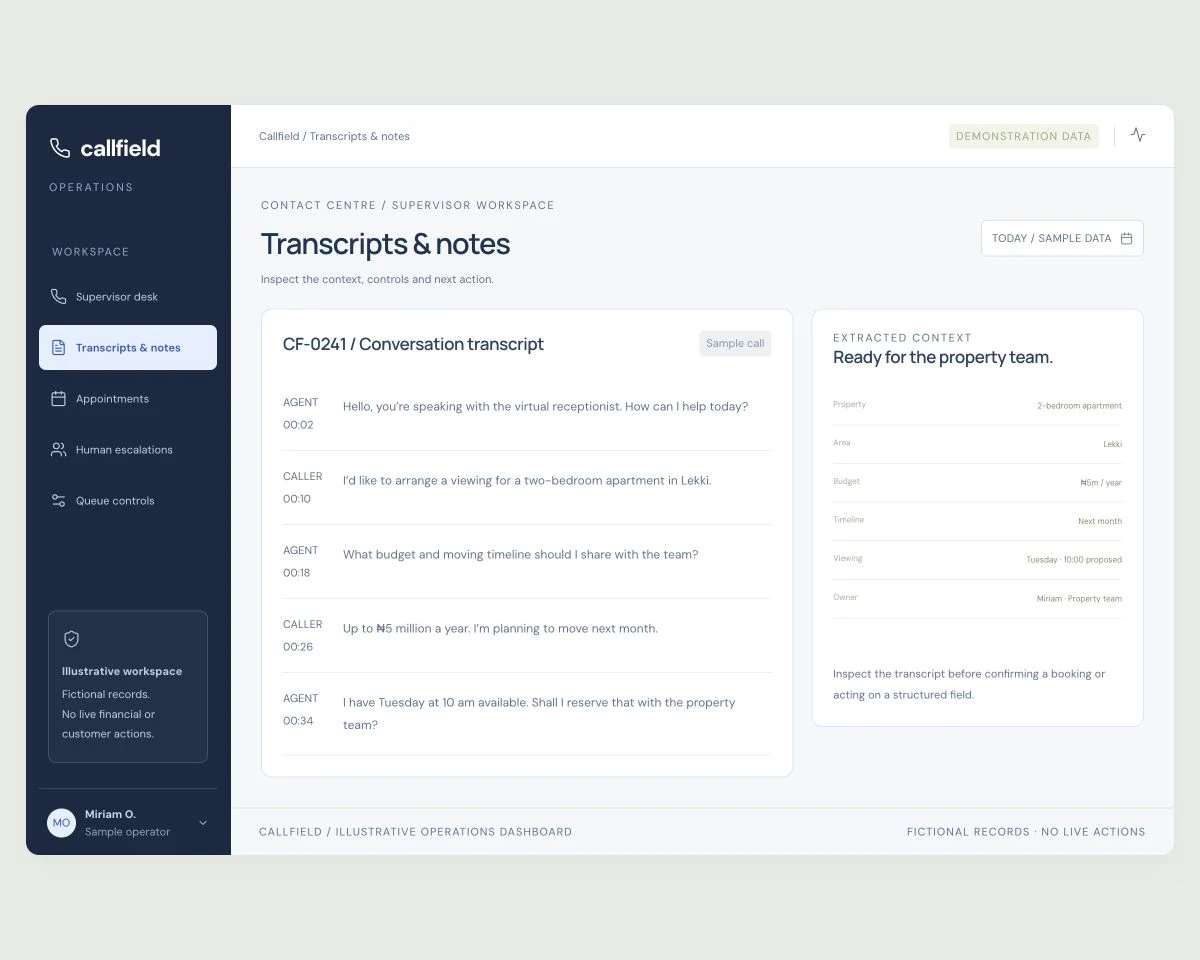
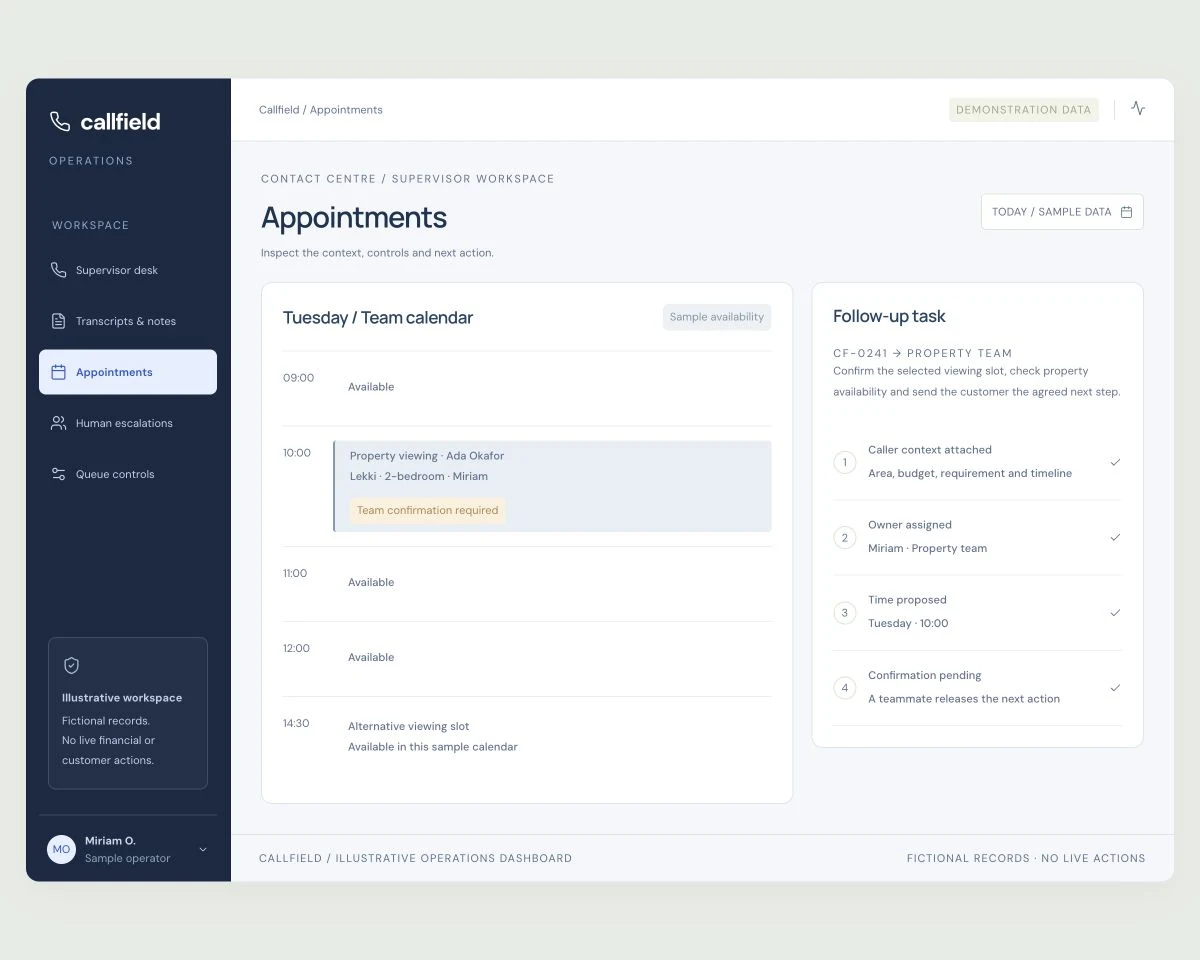
Illustrative operations dashboard with fictional records. Interactions change the local demo only. Product-specific configuration and live availability are agreed separately.
THE WORK BEHIND THE SCREEN
Built around the whole workflow.
Every module has a job. Together, they make the experience useful for the person using it and the team running it.
Inbound reception
Greet callers, understand their request and direct the conversation to a relevant workflow.
Lead qualification
Capture the need, budget, location and timeline with structured questions.
Appointments
Offer connected calendar availability and collect the details needed for a booking.
Human escalation
Transfer sensitive, uncertain or requested conversations with the context already collected.
Call workspace
Review transcripts, summaries, outcomes and follow-up tasks in one operational view.
Campaign & queue rules
Define working hours, caller disclosure, escalation rules and permitted outbound use before launch.
HOW THE PIECES CONNECT
01Incoming call
02Identify the need
03Qualify the request
04Check availability
05Book or transfer
Let’s make it happen
Your next big idea.
Our next great build.
Tell us what you have in mind. We’ll help you find the right way forward.
Let’s talk about your project